Resilient Road Placement
How separating external game state from internal render state makes it clean to optimistically place a road and roll back if the server rejects it.
This blog post belongs to a two-part series: Responsive and Resilient Catan Board
- Responsive Hexagonal Grids
- Resilient Road Placement Now Reading
Placing a road looks instant to the player, but the UI is running a full optimistic update cycle against a mock backend on every click.
Separating Game State from Render State
The main refactor was separating external game state from internal render state. External game state is what the server tracks (whose turn it is, which roads have been placed, what action is in progress). Internal render state is what the UI is showing right now. It can briefly diverge from the server when an optimistic update is in flight.
All of the road placement logic lives in a dedicated React hook, useRoadPlacement. The hook holds three pieces of internal state: the pending road ID, the color to render it in, and a gameStateOverride object that temporarily replaces the server’s view of the game. When the server responds, the override is either committed as the new game state or discarded.
Making Roads Selectable
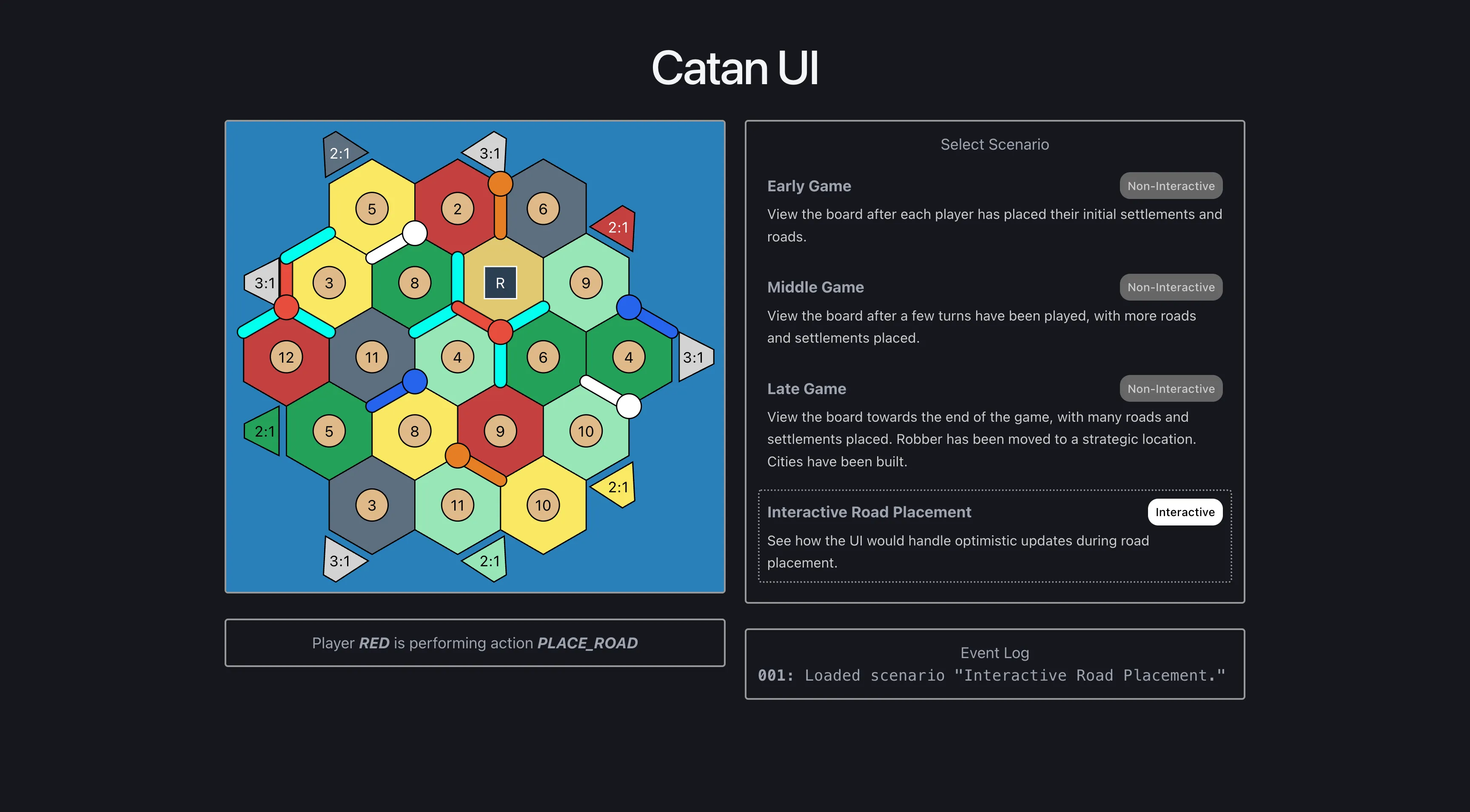
SVG edges already render as DOM nodes, so making them selectable was mostly a CSS and event handler change. When the player loads the Interactive Road Placement scenario, the eligible edges get a hover style and a click handler.
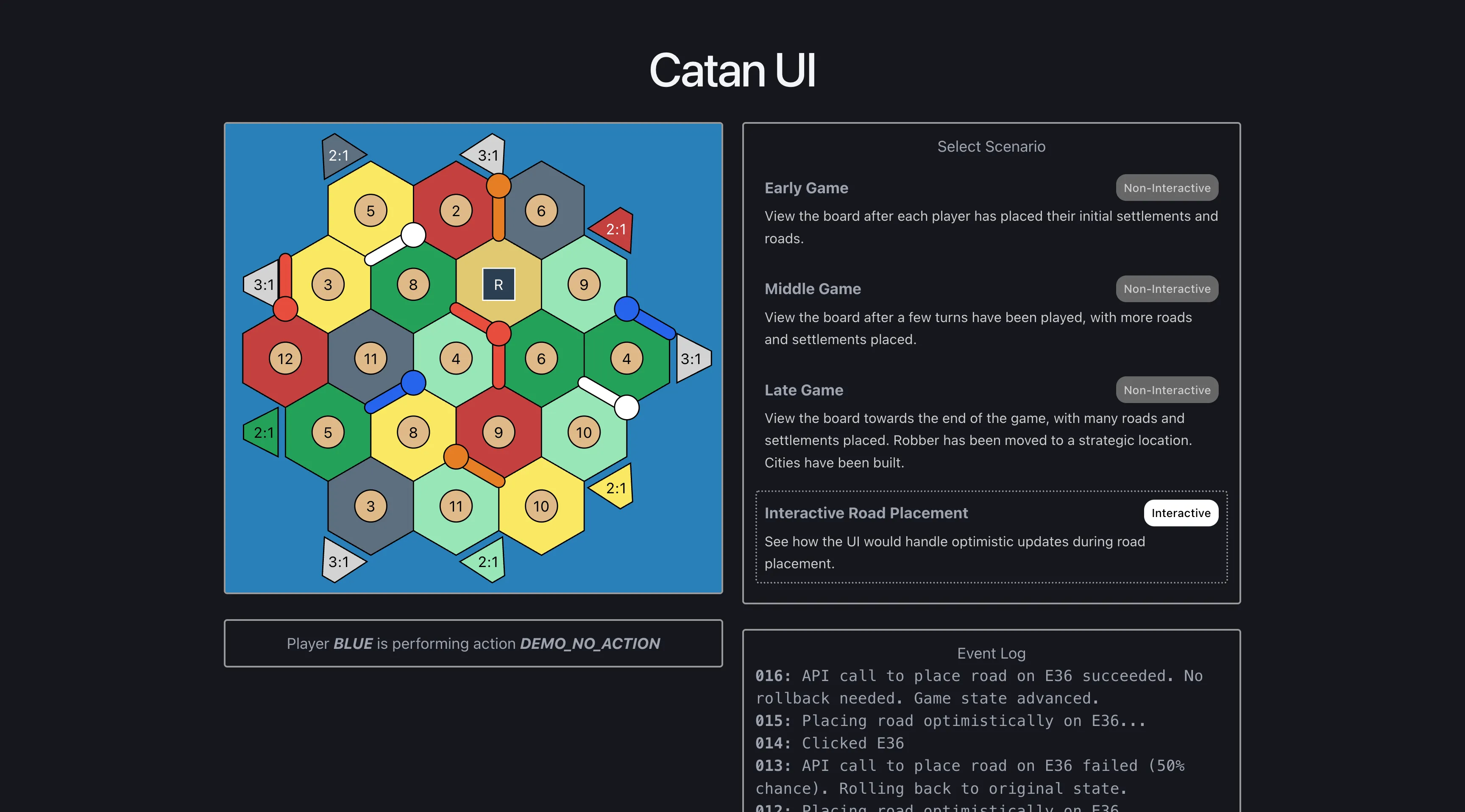
The scenario selector on the right puts the board into this mode. Most scenarios are non-interactive snapshots of game state, but the road placement scenario lets the user click directly on the board.
Placing a Road Optimistically
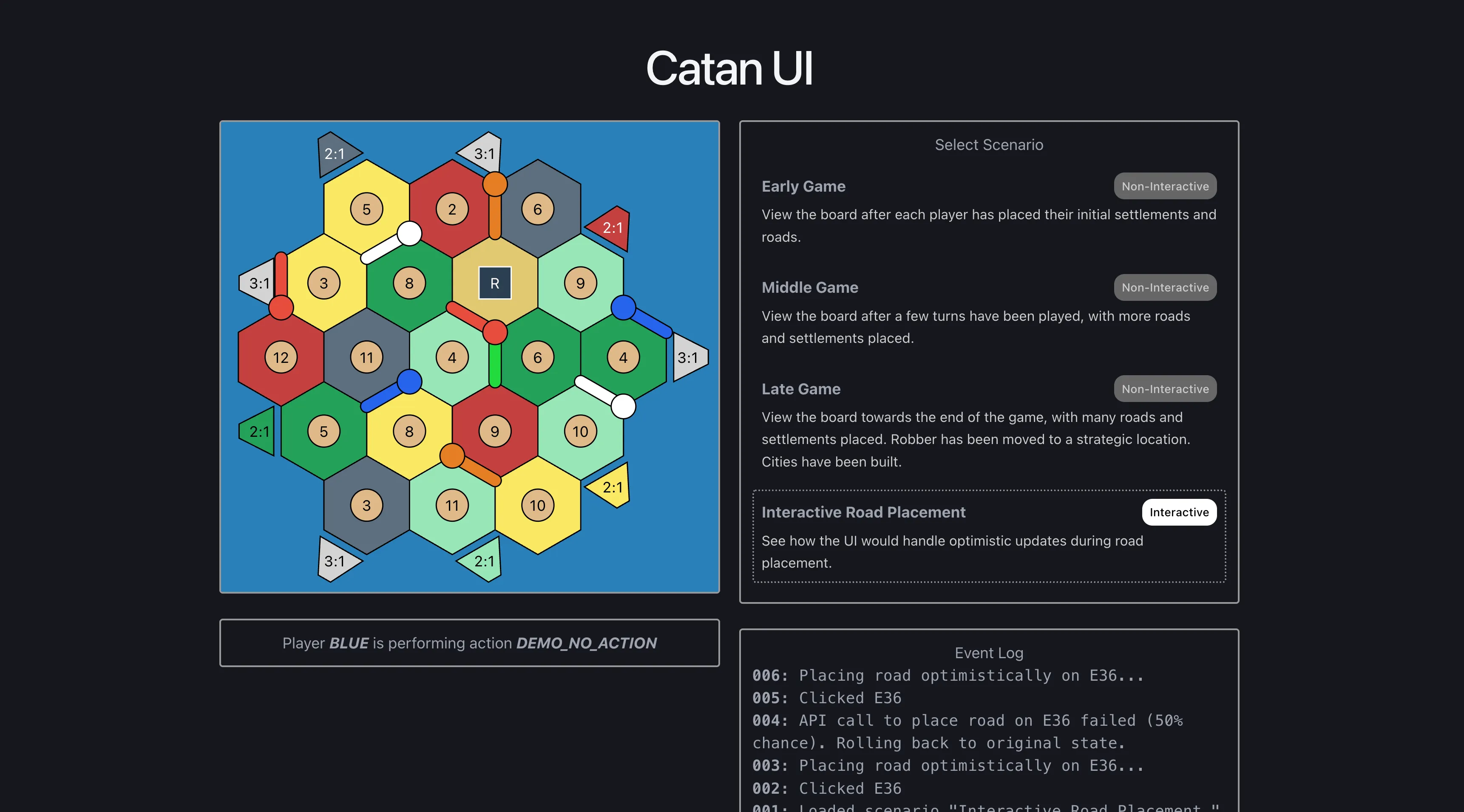
On click, the UI immediately renders the road in a pending color and removes the other selectable edges. None of this waits for the server, so the player sees the result of the click on the next React render.
Syncing with the Server Response
The mock API returns true half the time and false the other half, so both branches show up regularly in the demo. On success, the pending road is changed to its final color and the game state advances. On failure, all of the pending state is cleared and the board returns to its pre-click state. Synchronizing client and backend state is rarely this clean in practice. The demo only supports one hardcoded scenario, so it can skip the harder problems around retries and conflicts that a real implementation would need to handle.
if (await mockPlaceRoad()) {
  // change to final road color and keep other roads removed
  setPendingRoadColor(BoardColor.PLAYER_RED);
  setGameStateOverride({
    currentAction: GameAction.DEMO,
    currentPlayer: PlayerColor.BLUE,
    removedEdgeIds,
  });
  updateActivityLog(
    `API call to place road on ${edgeId} succeeded. No rollback needed. Game state advanced.`,
  );
} else {
  // revert everything to original state
  setPendingRoadId(null);
  setPendingRoadColor(null);
  setGameStateOverride({});
  updateActivityLog(
    `API call to place road on ${edgeId} failed (50% chance). Rolling back to original state.`,
  );
}
Both outcomes are logged to the Activity Log on the right of the board.
Browsable Game State Scenarios
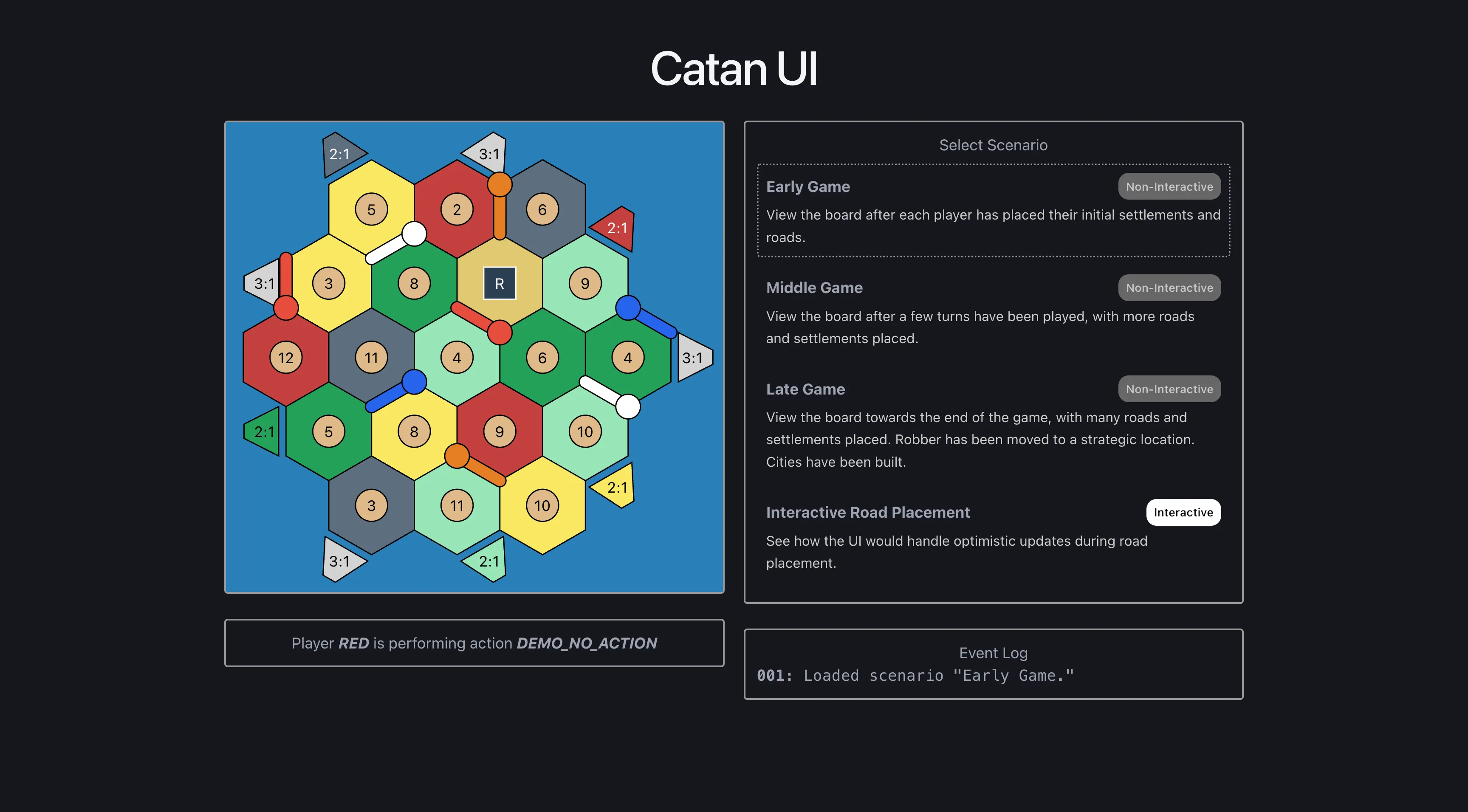
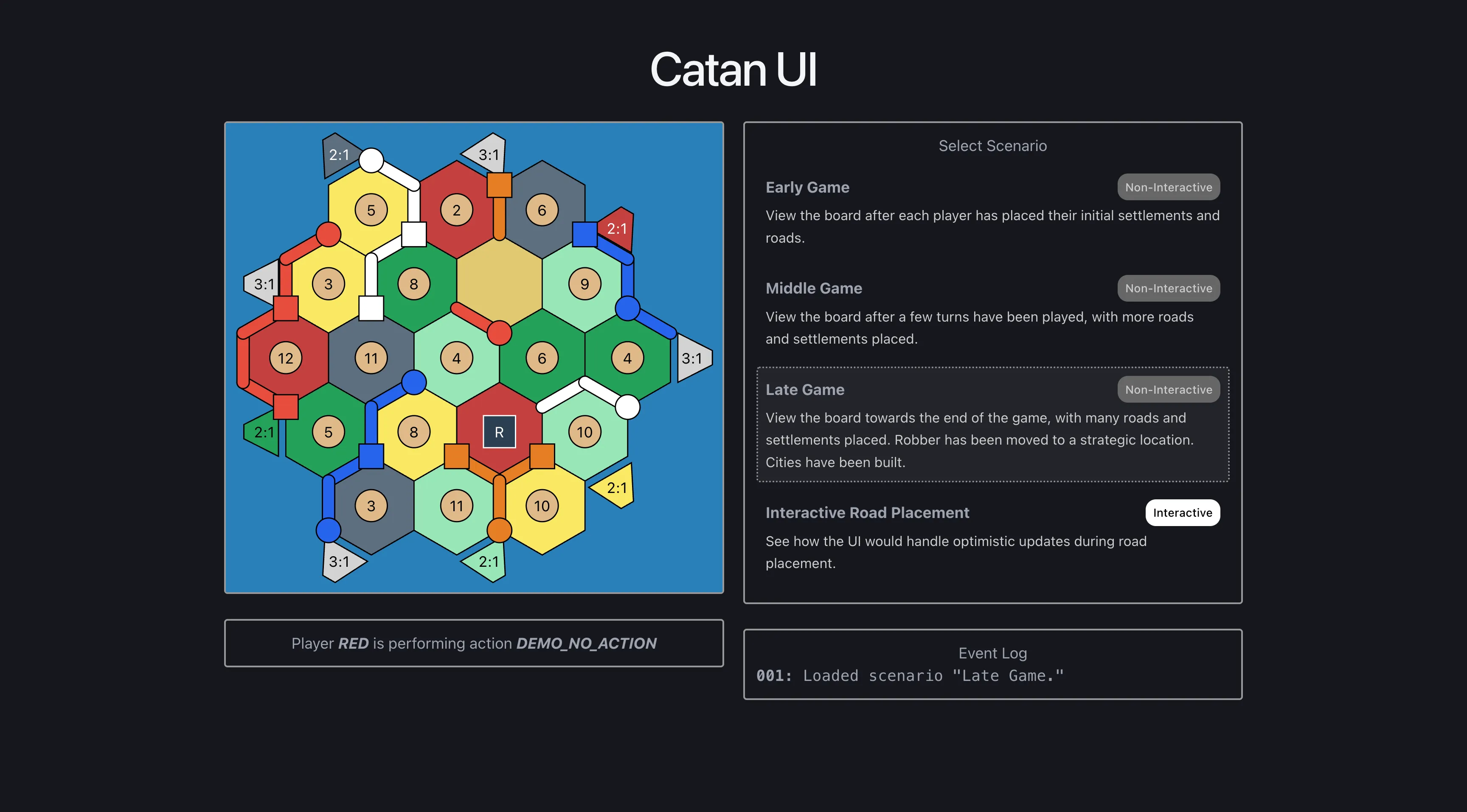
The scenario selector also loads hardcoded game states from the early, middle, and late stages of a game. None of these are interactive. They are there so a reviewer can see how the board renders at different points in a game without playing one through. The Activity Log was added at the same time to surface what each demo feature is doing.
The responsive layout styling was cleaned up alongside this work, so the same scenarios render cleanly on both phones and desktops.