Using LM Studio's Chat Interface
Running local models in LM Studio's chat interface on Linux
This blog post belongs to a three-part series: Running LLMs Locally
- Running LLMs Locally with Ollama
- Ollama Copilot Integration
- Using LM Studio's Chat InterfaceNow Reading
Ollama covers the low level pieces of running models and inference, but it doesn’t give you a chat interface on Linux. (Ollama has since released a desktop chat app for macOS and Windows. Linux remains CLI only.) LM Studio fills this gap. Let’s get it running and then explore its chat features.
Update: This post covers wiring Ollama models into LM Studio with Gollama. This integration is no longer supported, so this post lives as a historical reference.
Running LM Studio
First we install the AppImage from the LM Studio releases page and run it like any other executable on Linux. There is one catch. LM Studio is an Electron app, and Electron’s Chromium sandbox relies on unprivileged user namespaces. Recent Ubuntu releases restrict these namespaces through AppArmor by default, but the commands below lift that restriction so the sandbox can work.
Know the tradeoff before running these commands. Setting kernel.apparmor_restrict_unprivileged_userns=0 turns off an Ubuntu hardening measure for the whole system, not just for LM Studio. A more targeted fix would be an AppArmor profile for the AppImage. I accepted the tradeoff on my desktop.
# allow unprivileged user namespaces so Electron's Chromium sandbox works
sudo sysctl -w kernel.unprivileged_userns_clone=1
sudo sysctl -w kernel.apparmor_restrict_unprivileged_userns=0

# persist these settings across reboots
echo 'kernel.unprivileged_userns_clone=1' | sudo tee /etc/sysctl.d/99-userns.conf
echo 'kernel.apparmor_restrict_unprivileged_userns=0' | sudo tee -a /etc/sysctl.d/99-userns.conf
sudo sysctl --system

# make the AppImage executable, then execute
chmod +x ./LM-Studio-0.4.2-2-x64.AppImage
./LM-Studio-0.4.2-2-x64.AppImage
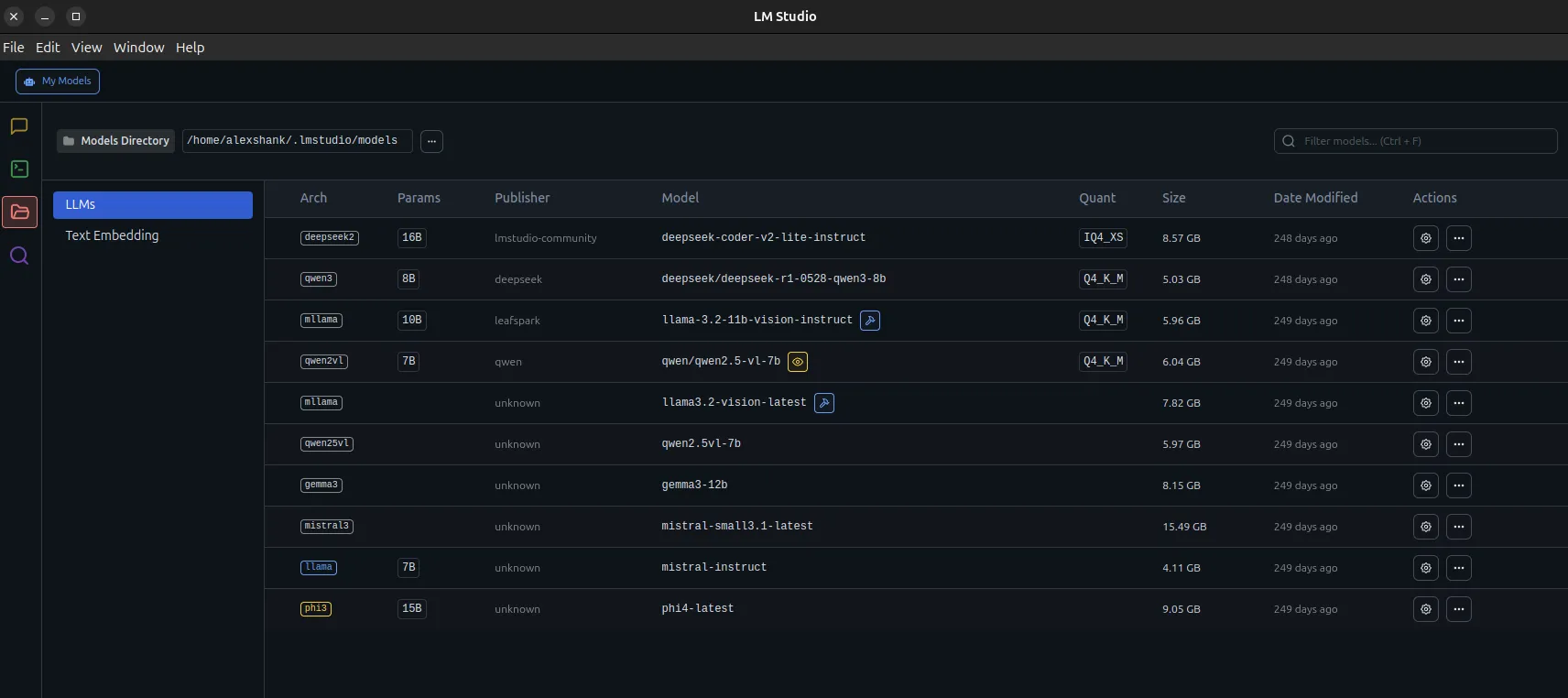
After all this, we should see the LM Studio interface. I’ve already downloaded some models here.
Running Text Prompts
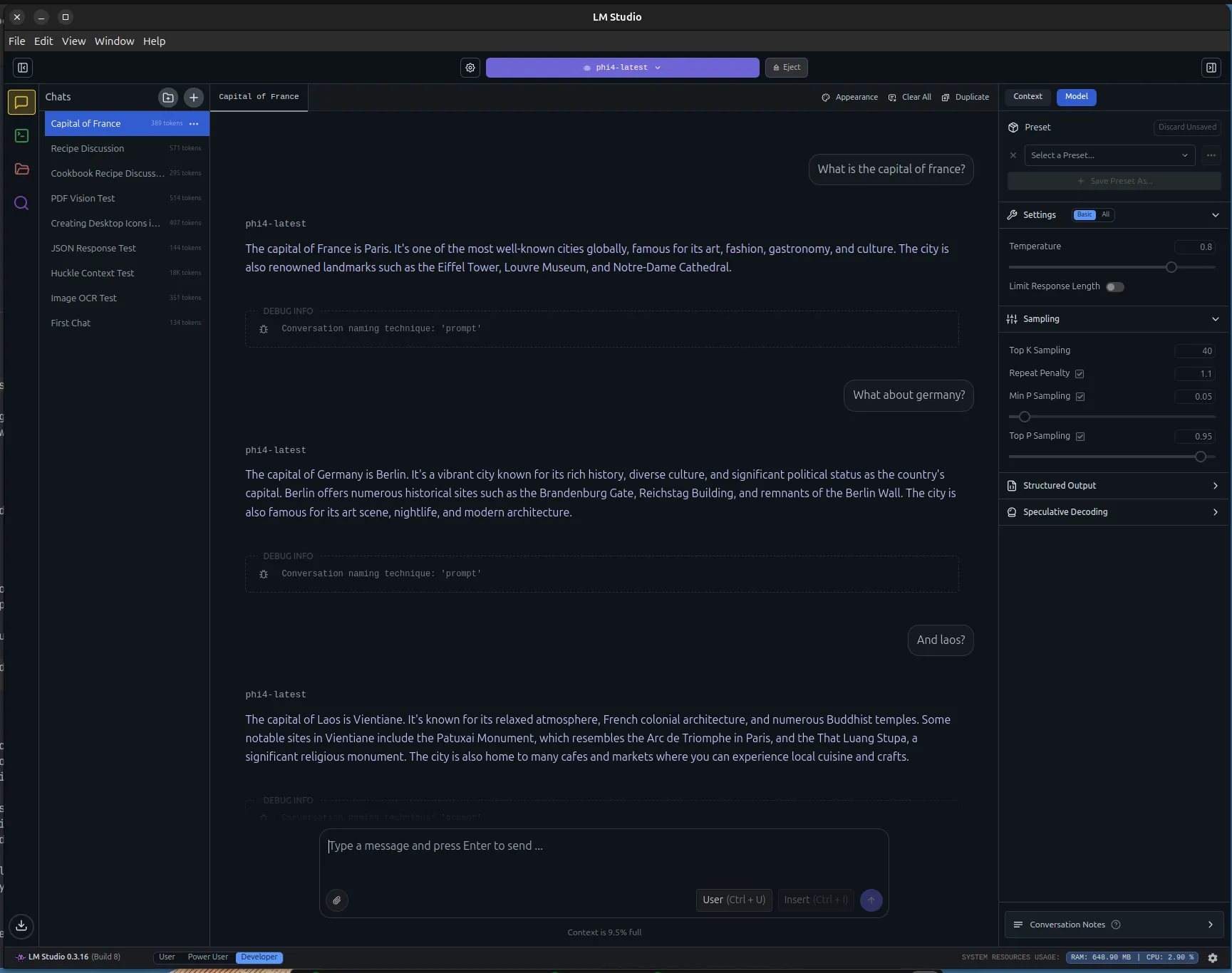
We can run Text -> Text prompts similar to Ollama. We get the nice chat interface, and each response comes with metrics like time to first token and tokens per second. Here Phi-4 handles some easy geography questions.
Running Large Text Prompts
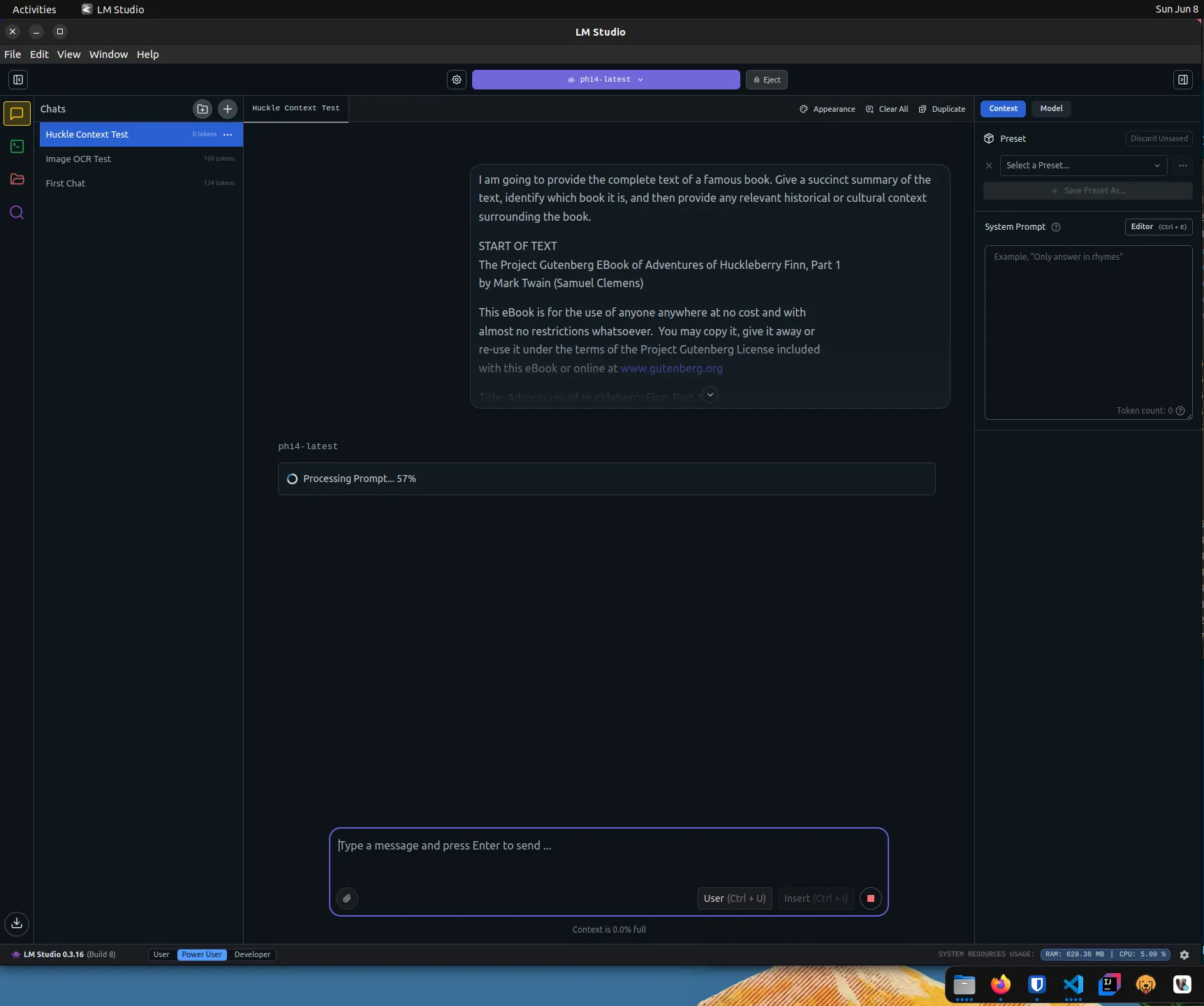
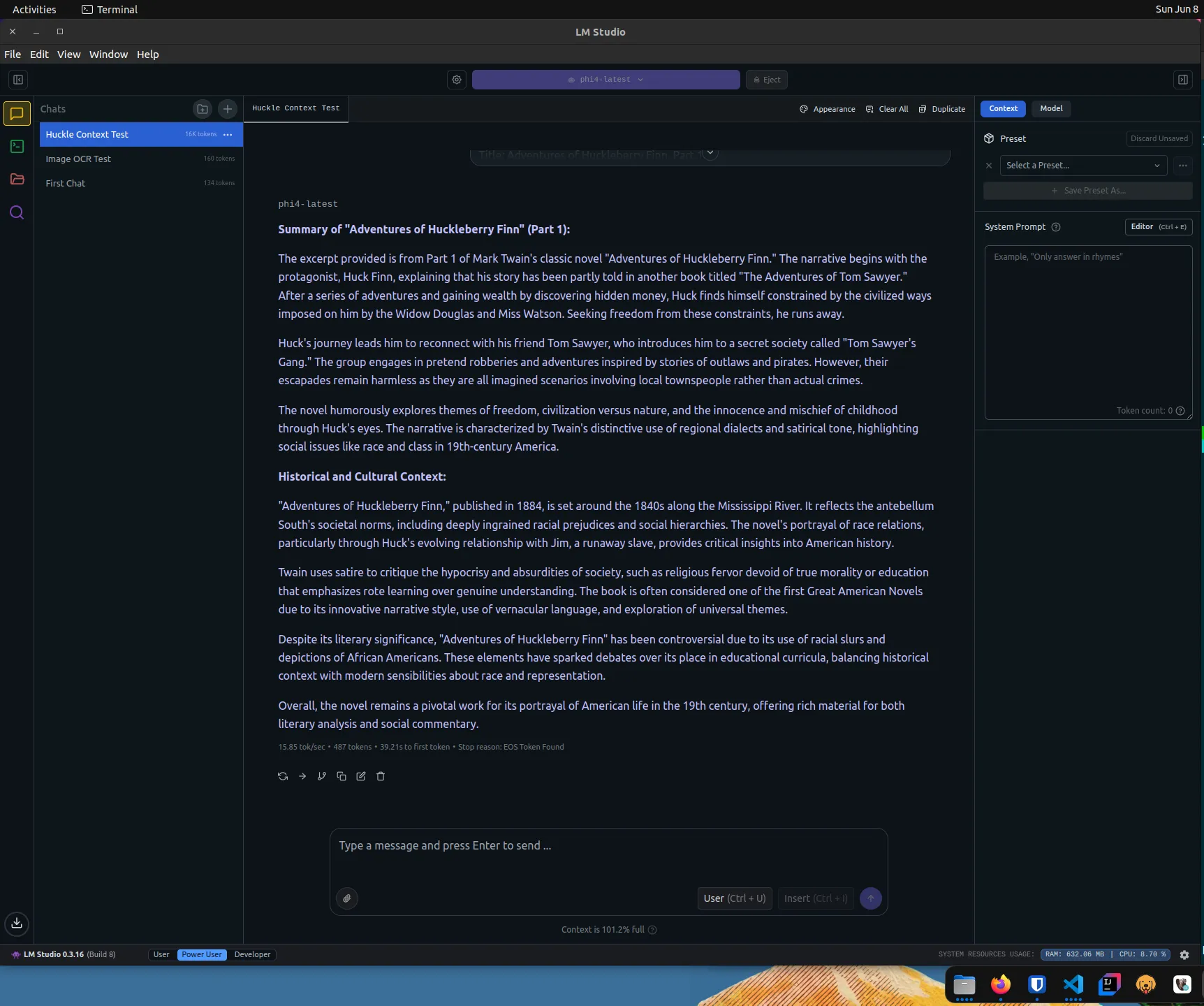
We can also run much larger prompts, which test how our model handles a full context window. Here I provide the text of Huckleberry Finn and ask for a summary.
If we were to look at nvtop or nvidia-smi while this was running, we would see both GPU VRAM and GPU cores being heavily utilized. You can spend a lot of time tuning your model choices and context window sizes to maximize GPU utilization.
Multimodal Prompts
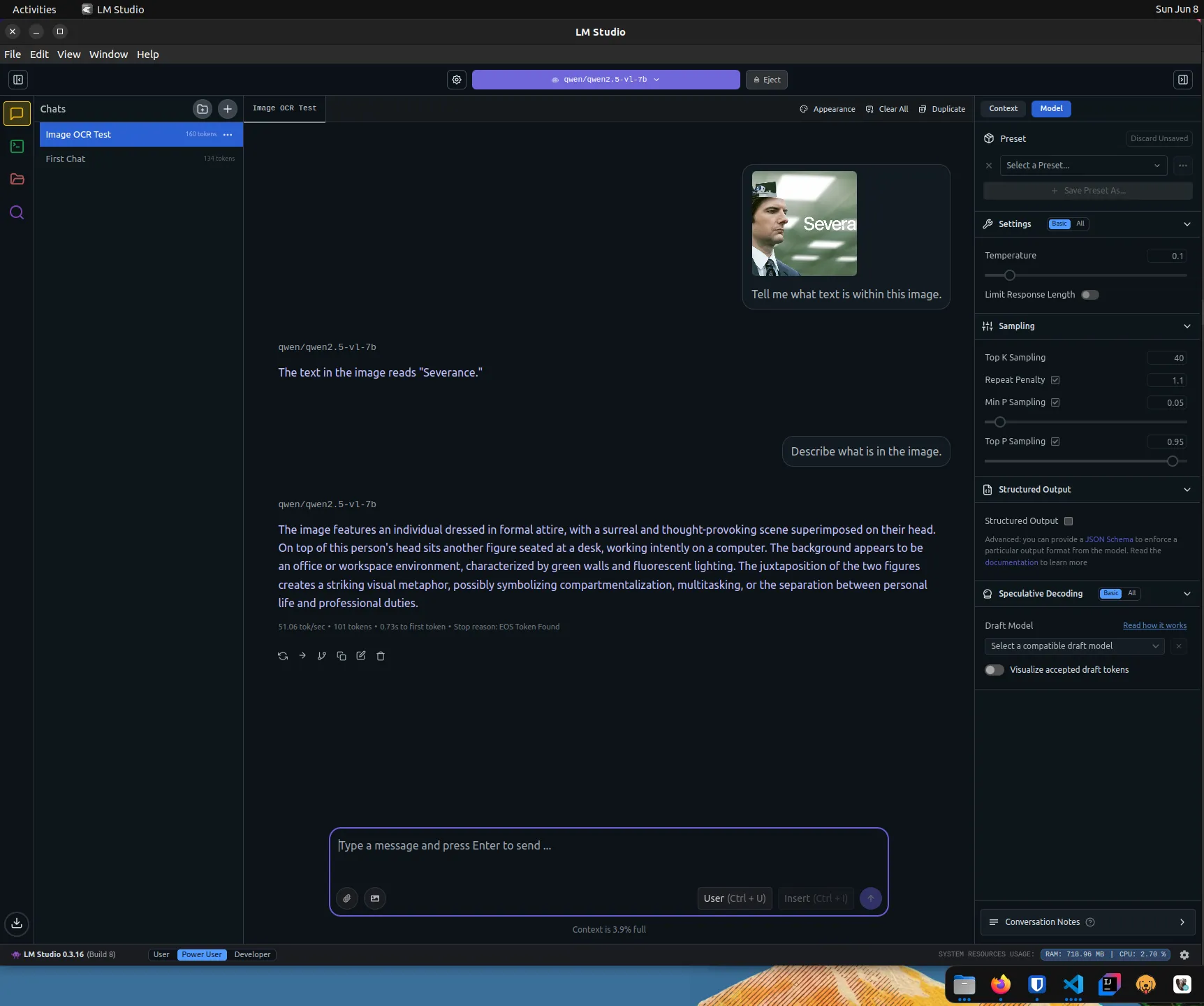
Like Ollama, we can provide images in our prompts if we have a multimodal model. Note that we are using the qwen-2.5-vl-7b model here, which has vision capabilities that phi4-latest does not. It correctly reads the “Severance” text in the image and describes the scene.
Structured Response
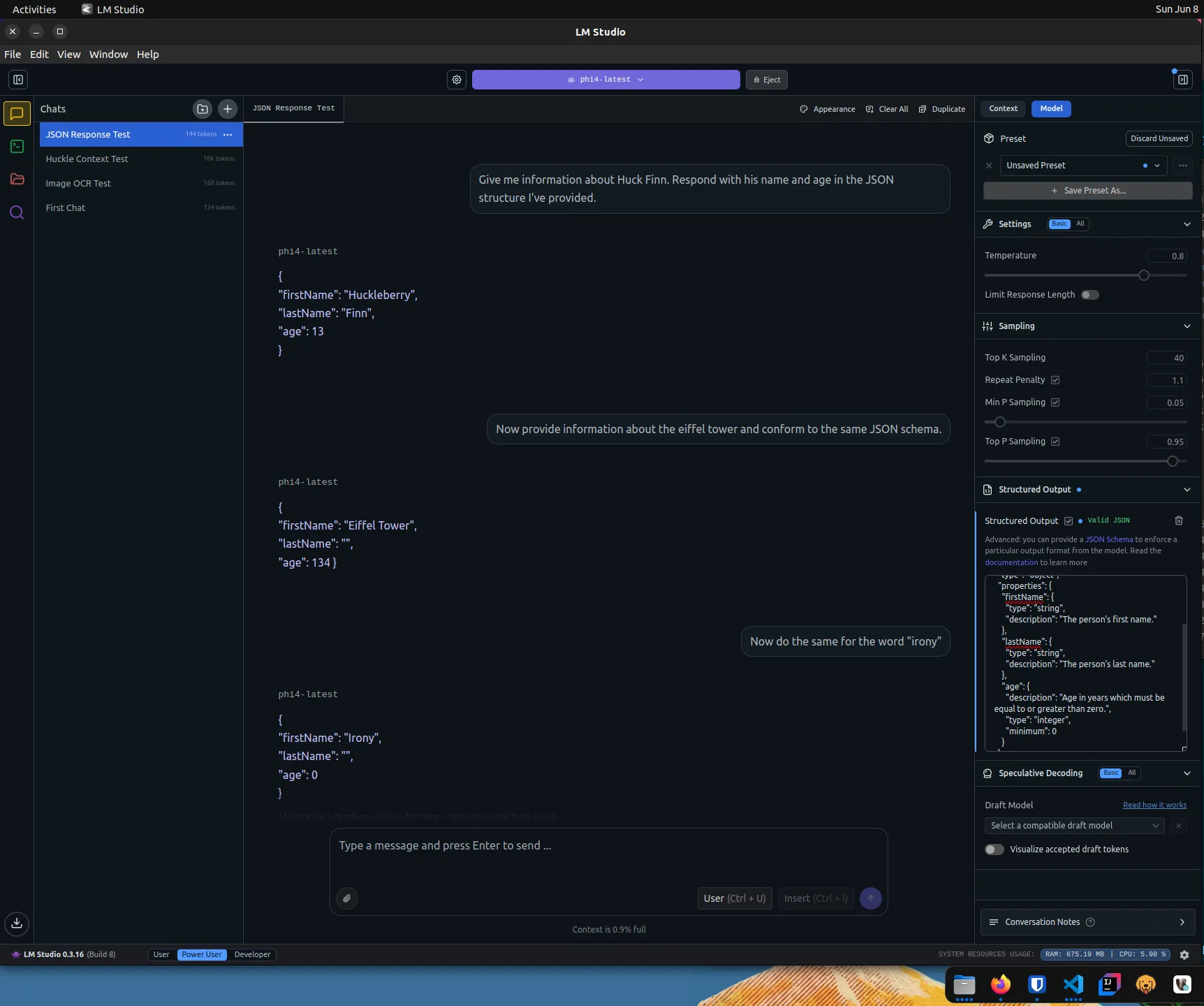
If we need the response to conform to a particular JSON schema, we can provide it through the UI.
Running Gollama
Some of the models available in LM Studio above are Ollama models. We make Ollama models available to LM Studio by linking them with Gollama.
# install go 1.24.4
rm -rf /usr/local/go && sudo tar -C /usr/local -xzf go1.24.4.linux-amd64.tar.gz
export PATH=$PATH:/usr/local/go/bin
go version
# install gollama
go install github.com/sammcj/gollama@HEAD
echo 'export PATH=$PATH:$HOME/go/bin' >> ~/.zshrc
source ~/.zshrc# link Ollama models to LM Studio
gollama -L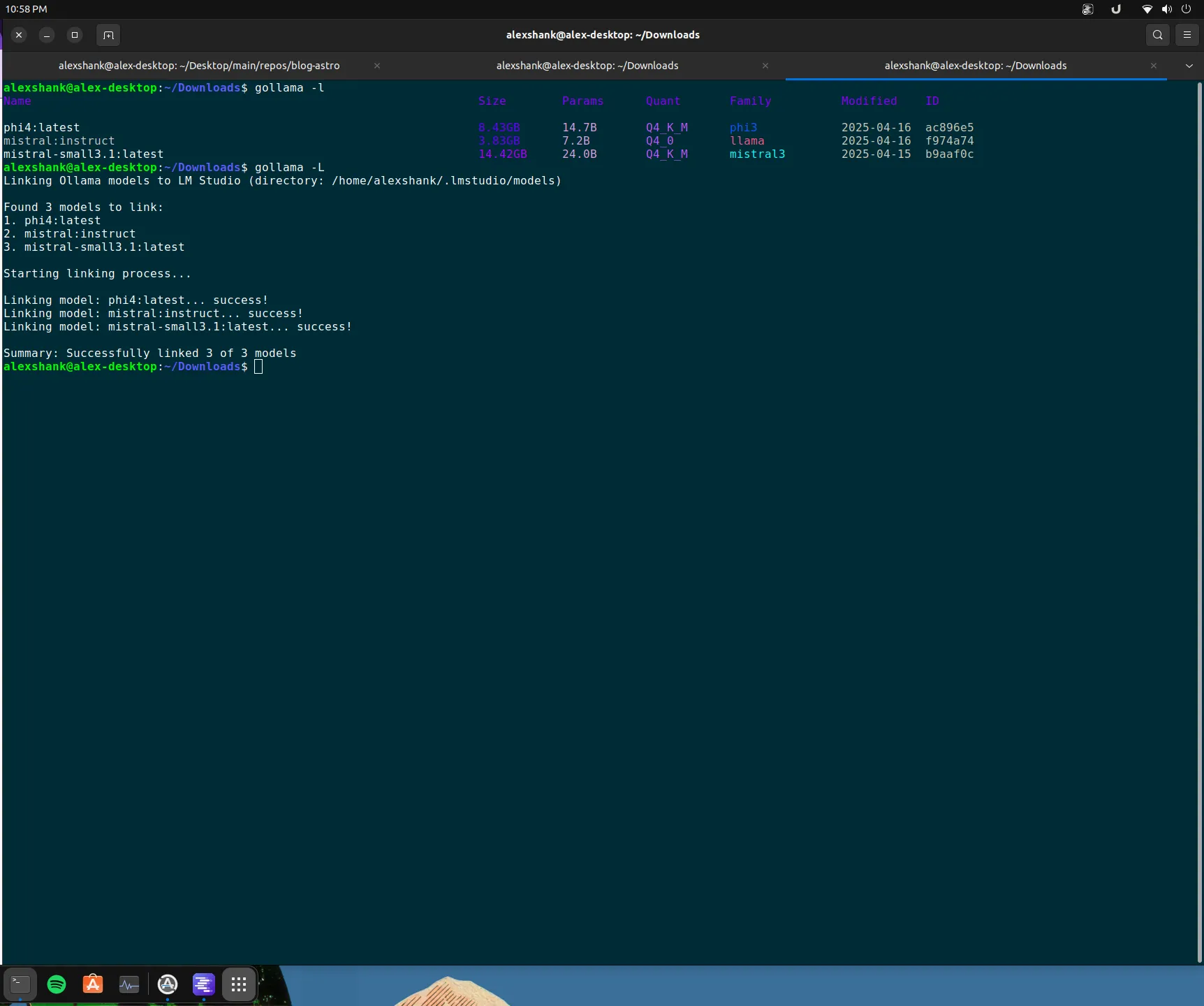
Wrapping Up
LM Studio gives me the chat interface that Ollama lacks on Linux, plus niceties like per response metrics and structured output. It has earned its spot as my default for local chat. The next thing I want to try is wiring Ollama into Claude Code and asking it to make code changes.